
Wii Remote Controller with Nunchuk
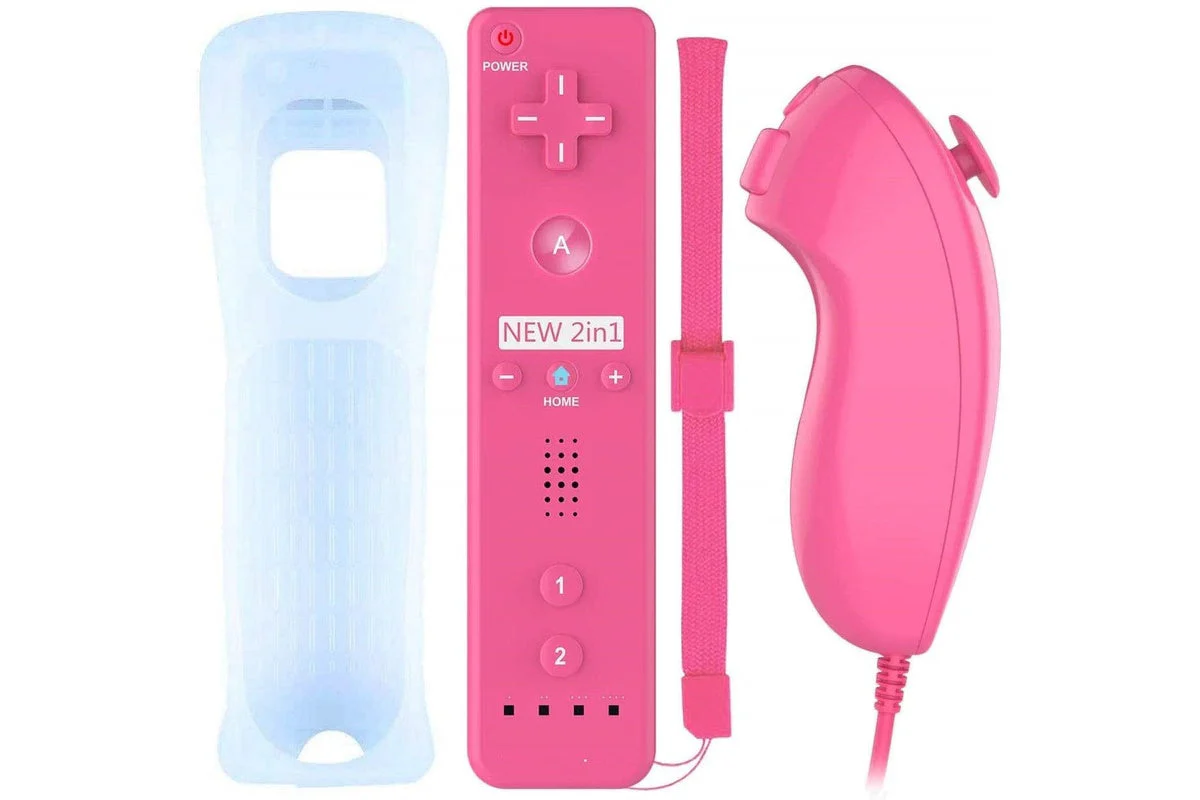
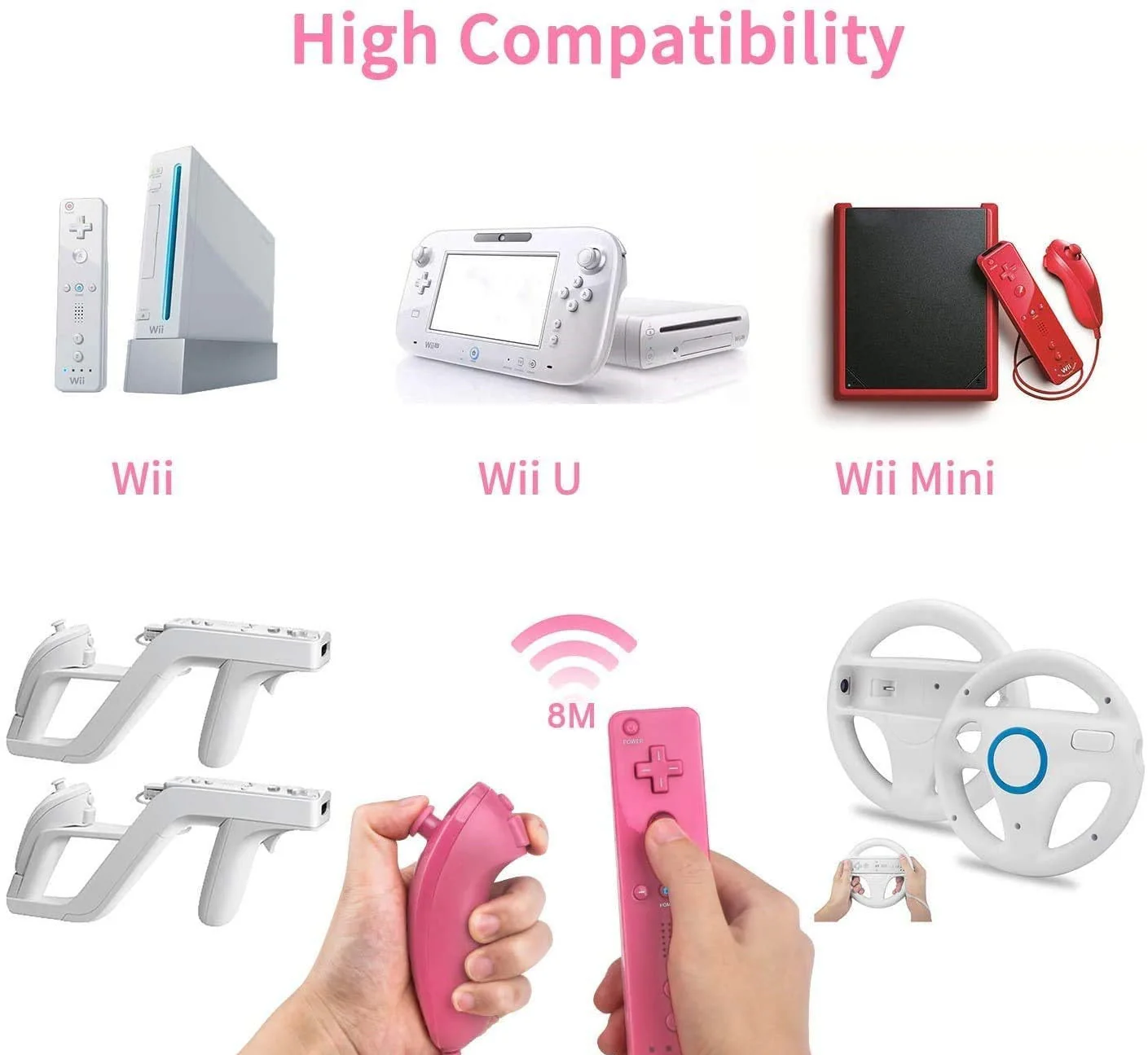
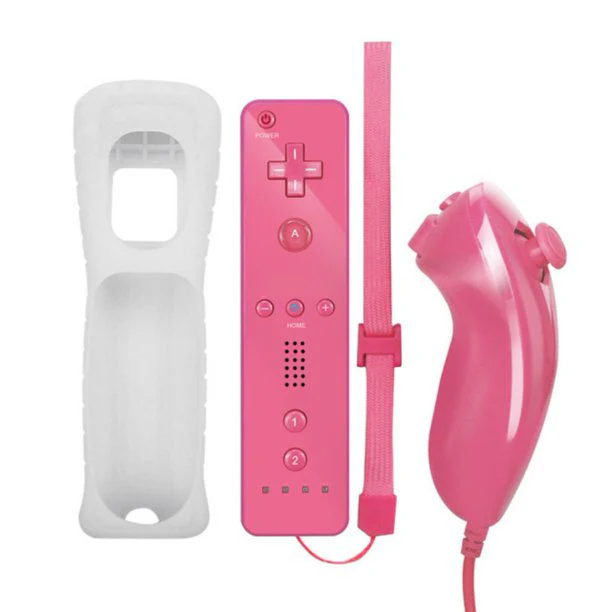
Replacement Wii Remote Controller With Silicone Case, Wristband and Nunchuk Controller for Nintendo Wii
No Motion Plus
Product Description:
Enlarged buttons and re-designed d-pad.
Rubberized hand grip.
Powered by 2 x AA battery.(NOT INCLUDED)
Color:Pink
Package Include:
1 x Remote Controller
1 x Protective Silicon Case
1 x Wrist Strap
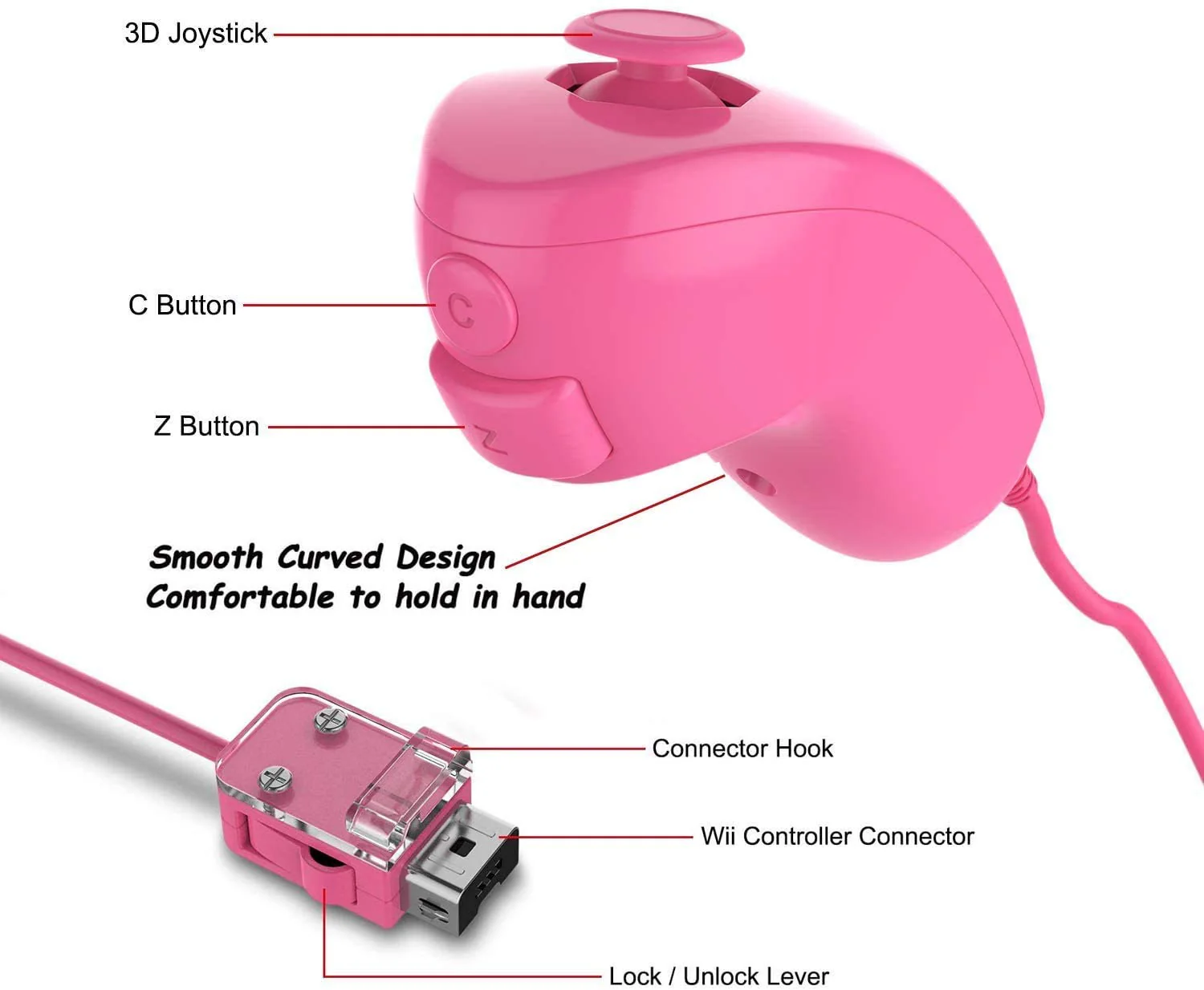
1 x Nunchuk Controller
Steps for Connect:
Step 1: Turn on the Wii console.
Step 2: Then press the red SYNC button inside the remote battery cover, four lights blink.
Step 3: Open the SD card slot of the Wii Console, and find the red SYNC button, press it. If
one light is on and stop blinking, synchronization completes.
Please make sure that two useful AA batteries have been put inside the remote's battery cover.
Please note this is Third Party Product.
More Images


Wii Remote Controller with Nunchuk
Replacement Wii Remote Controller With Silicone Case, Wristband and Nunchuk Controller for Nintendo Wii
No Motion Plus
Product Description:
Enlarged buttons and re-designed d-pad.
Rubberized hand grip.
Powered by 2 x AA battery.(NOT INCLUDED)
Color:Pink
Package Include:
1 x Remote Controller
1 x Protective Silicon Case
1 x Wrist Strap
1 x Nunchuk Controller
Steps for Connect:
Step 1: Turn on the Wii console.
Step 2: Then press the red SYNC button inside the remote battery cover, four lights blink.
Step 3: Open the SD card slot of the Wii Console, and find the red SYNC button, press it. If
one light is on and stop blinking, synchronization completes.
Please make sure that two useful AA batteries have been put inside the remote's battery cover.
Please note this is Third Party Product.
Product Information
Product Information
Shipping & Returns
Shipping & Returns
Description
Replacement Wii Remote Controller With Silicone Case, Wristband and Nunchuk Controller for Nintendo Wii
No Motion Plus
Product Description:
Enlarged buttons and re-designed d-pad.
Rubberized hand grip.
Powered by 2 x AA battery.(NOT INCLUDED)
Color:Pink
Package Include:
1 x Remote Controller
1 x Protective Silicon Case
1 x Wrist Strap
1 x Nunchuk Controller
Steps for Connect:
Step 1: Turn on the Wii console.
Step 2: Then press the red SYNC button inside the remote battery cover, four lights blink.
Step 3: Open the SD card slot of the Wii Console, and find the red SYNC button, press it. If
one light is on and stop blinking, synchronization completes.
Please make sure that two useful AA batteries have been put inside the remote's battery cover.
Please note this is Third Party Product.